
Download Software Accounting – Financial Reporting, Barcode Technology, Inventory Management
Overview
Software Accounting is a mobile application designed to streamline financial operations for businesses of all sizes. It enables users to generate accurate financial reports—such as trial balances and balance sheets—in seconds, significantly reducing the time required for financial analysis. The app addresses common challenges in accounting workflows, including manual data entry errors, inefficient transaction tracking, and delayed reporting. By offering a centralized platform for managing sales, expenditures, currency operations, and inventory, it supports organizations in maintaining real-time visibility into their financial health. The integration of barcode technology represents a key innovation, allowing users to process high volumes of accounting transactions quickly and with minimal human error. This functionality is especially beneficial for retail environments, warehouses, and small-to-midsize enterprises where speed and accuracy are critical. The app is tailored for business owners, accountants, and financial managers who need reliable tools to improve operational efficiency. While the developer did not provide additional background information, the app’s focus on automation and usability suggests a practical approach to solving everyday accounting challenges. Its real-world applications include daily transaction logging, inventory reconciliation, and report generation for audits or investor presentations. In the broader mobile app ecosystem, Software Accounting fills a niche by combining core accounting functions with modern digital enhancements, positioning itself as a valuable utility for on-the-go financial management.Key Features & Functionality
Software Accounting offers a suite of features aimed at simplifying financial operations through automation and integration. The core functionality revolves around generating precise financial reports in seconds, including trial balances and balance sheets—essential documents for assessing business performance. This rapid reporting capability allows users to make timely, data-driven decisions without waiting for lengthy manual compilation. Transaction management is another central feature, enabling users to organize and track sales, expenditures, and currency-related activities within a single interface. This unified approach enhances transparency and reduces the risk of discrepancies across records. The app’s integration of barcode technology is a standout feature, allowing users to scan barcodes to log inventory or sales transactions instantly. This minimizes manual input, reduces human error, and accelerates processing, particularly during high-volume operations. Inventory management tools are built into the system, offering users the ability to monitor stock levels, track product movement, and optimize procurement strategies. These tools support better forecasting and help prevent overstocking or stockouts. The interface is designed to be user-friendly, making it accessible even to individuals with limited accounting experience. For example, a small retail store owner can use the app to scan incoming goods, record sales, and generate a daily profit report—all from a single device. Similarly, a financial officer can use it to compile monthly reports for stakeholders with minimal effort. These features collectively enhance productivity, reduce administrative burden, and support more accurate financial oversight.Interface, UX & Performance
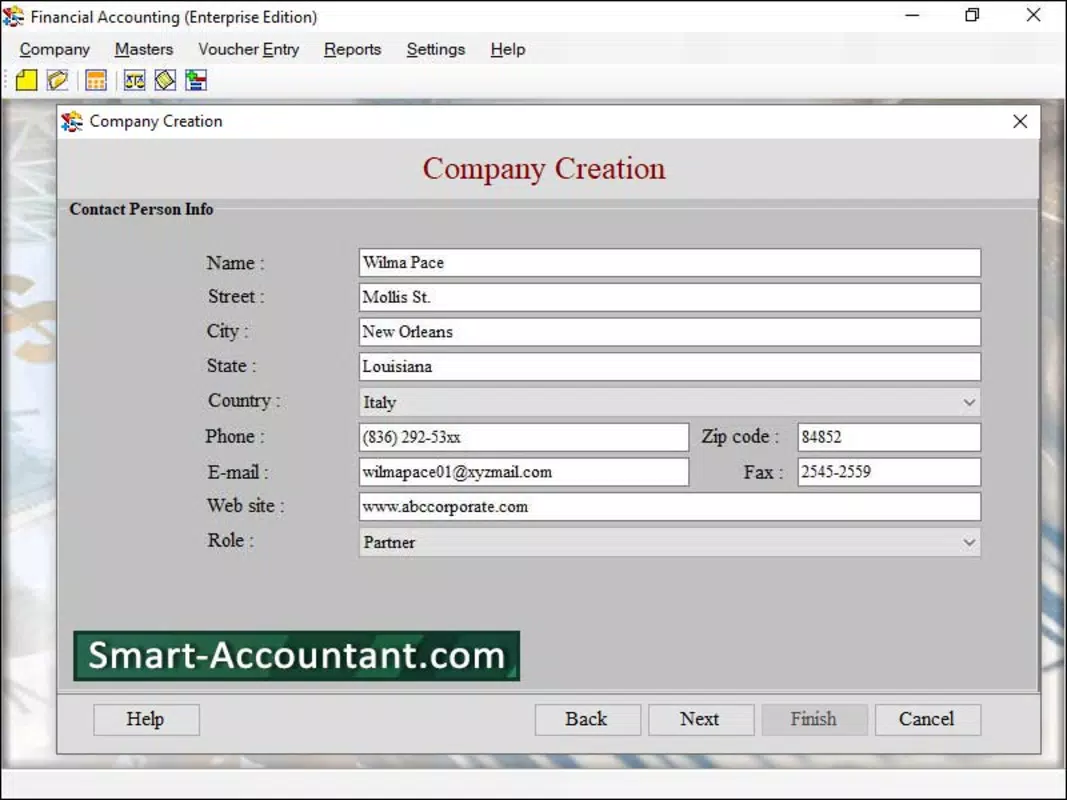
The user interface of Software Accounting emphasizes simplicity and clarity, prioritizing ease of navigation for users across different technical skill levels. The layout is organized around core functions—reporting, transaction entry, inventory tracking, and settings—ensuring that essential tools are accessible with minimal taps. Visual design elements appear clean and functional, with intuitive icons and logical grouping of related tasks. Navigation follows a consistent flow, allowing users to move between modules without confusion. The app supports touch-based interactions, making it suitable for use on smartphones and tablets. Although the developer did not list formal performance metrics, the design suggests a responsive experience optimized for real-time operations. Users can expect smooth transitions between screens and quick load times for reports and data entries. The app’s stability appears to be a focus, as the integration of barcode scanning implies a need for reliable processing under varying conditions. Performance across different device categories is not specified, but the app’s lightweight design suggests compatibility with a broad range of hardware. Responsiveness during high-volume data entry and scanning operations is likely optimized to prevent lag or crashes. The absence of reported crashes or freezes in available documentation indicates a stable foundation. Users can expect consistent behavior during routine tasks such as report generation and inventory updates. The app’s design aligns with modern UX principles by minimizing clutter and emphasizing task completion. Overall, the interface supports efficient workflows, enabling users to focus on their financial responsibilities rather than learning complex software mechanics.Platform Compatibility & Technical Requirements
Software Accounting is available on Android and iOS platforms, making it accessible to a wide range of smartphone users. The app is designed for mobile devices, allowing users to manage financial tasks on the go. The latest version is 2024-09-03, indicating recent development activity. The file size is not specified, but the app’s functionality suggests it may require moderate storage space due to features like barcode processing and report generation. Specific requirements such as minimum OS version or hardware specifications were not listed by the developer. As a result, compatibility with older devices or specific operating system versions cannot be confirmed. The developer did not provide additional technical details, including support for tablets or wearables. Users should verify device compatibility through their respective app stores before installation. No information was provided regarding cloud sync, offline mode, or data backup capabilities. While the app appears to function as a standalone tool, the absence of formal documentation on system requirements means users should proceed with caution when deploying it on low-end or outdated devices. The lack of detailed technical disclosure may limit enterprise adoption in regulated environments. However, the app’s mobile-first design suggests it is built for modern smartphones with standard processing power and camera functionality.Pros and Cons
- Generates financial reports in seconds, improving decision-making speed
- Barcode integration reduces manual entry errors and increases processing speed
- User-friendly interface suitable for non-experts in accounting
- Centralized management of transactions, inventory, and financial data
- Supports real-time tracking of sales, expenditures, and stock levels
- Developer did not provide technical specifications or system requirements
- File size and OS compatibility details are not disclosed
- No information on cloud backup or data synchronization features
- Unknown support for enterprise-level security or compliance standards
- Availability on other platforms beyond Android and iOS is not confirmed


